Guides / Timestamp strings
Keep Timestamp Offsets When Converting JSON to CSV
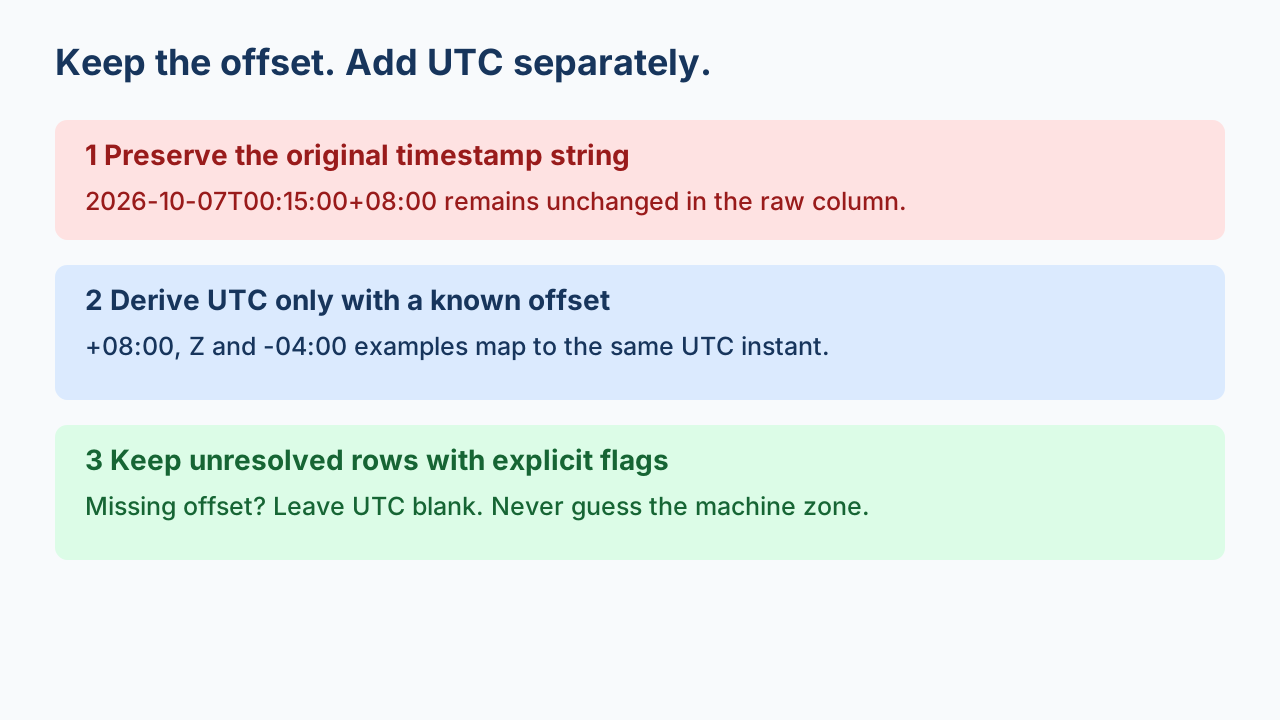
Export the original ISO 8601 timestamp as text, then add a separate UTC column only when the offset is known. A timestamp with +08:00, -04:00 or Z can identify an instant. A timestamp without an offset cannot: leave its UTC cell blank and flag it for clarification. Do not silently use the computer's local time zone.
Three different strings can identify the same instant
Our original export contains three records with different local clock readings and explicit offsets. They all normalize to 2026-10-06T16:15:00Z. Preserve each original string: normalization changes its representation and does not tell you which named regional time zone produced it.
2026-10-07T00:15:00+08:00
2026-10-06T16:15:00Z
2026-10-06T12:15:00-04:00
Python distinguishes aware and naive datetimes. An offset-free value does not say whether it means UTC or a local clock. The astimezone documentation also describes how a naive value may be presumed to use system local time. This recipe prevents that path by requiring an explicit offset before conversion.
A four-column contract that makes unresolved rows visible
Use id, created_at_raw, created_at_utc and timestamp_status. Keep every input record. Rows lacking a usable offset stay in the output with blank UTC and an explicit status; this is a rejection of UTC derivation, not a dropped CSV row. Consumers must select timestamp_status == ok before treating a UTC value as usable.
| ID | Original string | UTC derived value | Status |
|---|---|---|---|
| T01 | 2026-10-07T00:15:00+08:00 | 2026-10-06T16:15:00Z | ok |
| T02 | 2026-10-06T16:15:00Z | 2026-10-06T16:15:00Z | ok |
| T03 | 2026-10-06T12:15:00-04:00 | 2026-10-06T16:15:00Z | ok |
| T04 | 2026-10-07T00:15:00 | (blank) | missing_offset |
| T05 | 2026-10-07T00:15:00-00:00 | (blank) | unknown_offset |
| T06 | 2026-02-30T00:15:00Z | (blank) | invalid_datetime |
| T07 | 2026-10-06T16:15:00.123400Z | 2026-10-06T16:15:00.123400Z | ok |
Run the explicit conversion recipe
Download the original input and Python script below, then run:
python iso-offset-to-csv.py iso-offset-input.json new-offset-output.csvThe script uses datetime.fromisoformat after a deliberately narrow format check, and converts aware values with astimezone(timezone.utc). It preserves the raw string rather than replacing it. The output file must not already exist. All records are validated for the declared two-string-field input shape before the output is created.
Interpret each flag before importing the CSV
missing_offset: the value matches the recipe's date-time shape but has no offset; ask the producer for its time zone and date-specific rules.unknown_offset: the suffix is-00:00. RFC 3339's unknown local offset convention means the UTC time is known but the local offset is unknown, unlike a stated local zero offset. This recipe deliberately withholds derived UTC for these rows as a review policy; it is not claiming RFC 3339 makes their UTC instant unknowable.invalid_datetime: an explicit-offset value passes the shape check but cannot become a supported datetime, such as February 30 in the fixture.unsupported_format: the value is outside this recipe's contract; it may be valid in another date format. Do not label every such value invalid ISO 8601.
What we measured, and what we did not
On 2026-10-08, Python 3.12.14 exported our seven original records into four columns. CSV read-back preserved all seven raw timestamp strings. The first three UTC cells matched exactly. The missing-offset, unknown-offset and invalid-date rows remained present with blank UTC values. A six-digit fractional-second example retained .123400 in its UTC representation. These findings apply to the downloadable fixture and recipe, not every converter.
The recipe accepts extended calendar dates with uppercase T, seconds, optional one-to-six fractional digits, and uppercase Z or a colon-separated numeric offset. It excludes leap seconds, named zones, week dates and greater fractional precision. It is not a general ISO 8601 validator or a daylight-saving resolver. Its 2,000,000-byte input cap is a deliberate recipe policy; it loads the small input into memory. It rejects duplicate object keys and nonstandard JSON constants. An ok status validates conversion under this contract, not the truth of the source clock.
Keep spreadsheet display separate from source evidence
Import the raw column as text when using a spreadsheet. Formatting a cell as a date may change how it looks; do not use the display as proof that the offset or original spelling survived. Compare a CSV read-back to the source strings and retain the source file. Review untrusted spreadsheet formulas separately before opening an arbitrary export.
Verify every row and field after export. If values are numeric epochs, use the distinct guides list to find the seconds-versus-milliseconds workflow; this page handles timestamp strings.