Raw data copy
Preserves original string values for software import. Inspect untrusted input before opening it in a spreadsheet.
Download raw fixture CSVGuides / Spreadsheet cell interpretation
CSV quotes do not make a formula-like value inert in a spreadsheet. Keep a faithful raw export for data exchange, and create a separately labelled review copy if you deliberately change cell text. Record each change and check the exact spreadsheet's import and save/reopen behavior before distributing that review copy.
Preserves original string values for software import. Inspect untrusted input before opening it in a spreadsheet.
Download raw fixture CSVShows a visible TEXT: prefix on flagged cells. Values are intentionally different from the source.
Download review fixture CSVOWASP's CSV injection guidance describes spreadsheet interpretation of formula-leading text, including several leading characters and locale variants. It cautions that quoted or escaped content may behave differently after saving and reopening. No one sanitization strategy is suitable for every spreadsheet and downstream consumer.
[{"id":"F01","comment":"=1+2"},
 {"id":"F02","comment":"ordinary text"},
 {"id":"F03","comment":"+123"},
 {"id":"F04","comment":"@sample"}]
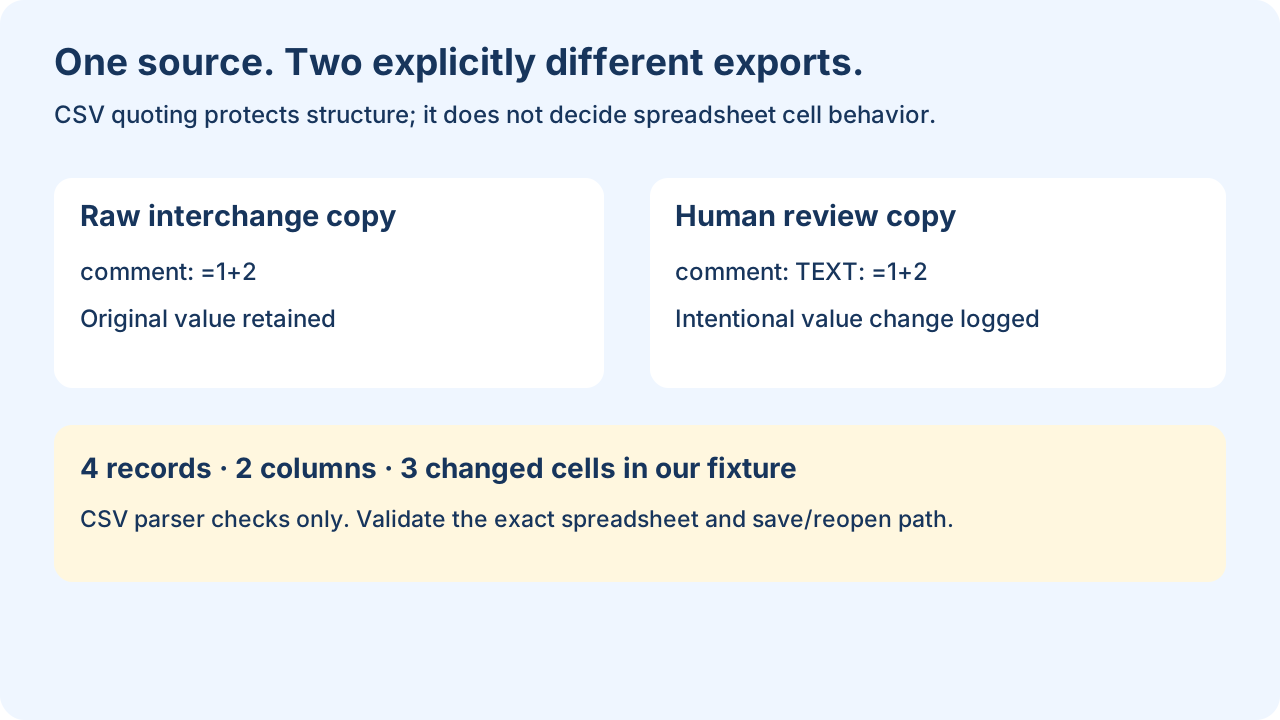
The raw CSV retains all four comments, even though every field is quoted. The review CSV changes F01, F03 and F04 to start with TEXT: . F02 stays unchanged. This is a visible review convention, not a reversible lossless transformation: the separate change ledger records the source and replacement values.
python make-review-csv.py formula-sample.json run-001"""Original fixed-schema example. CSV byte checks, not spreadsheet certification.
python make-review-csv.py formula-sample.json new-output-directory
"""
import csv,json,sys
from pathlib import Path
STARTERS='=+-@\t\r\n\uff1d\uff0b\uff0d\uff20'
def flagged(text):
return bool(text) and (text[0] in STARTERS or text.lstrip()[:1] in STARTERS and bool(text.lstrip()))
rows=json.loads(Path(sys.argv[1]).read_text(encoding='utf-8'))
if not isinstance(rows,list) or not rows: raise ValueError('expected nonempty array')
for r in rows:
if not isinstance(r,dict) or set(r)!={'id','comment'} or not all(isinstance(v,str) for v in r.values()):
raise ValueError('this fixture requires exactly id and comment, both strings')
out=Path(sys.argv[2]);out.mkdir(exist_ok=False)
columns=['id','comment']; review=[];changes=[]
for n,row in enumerate(rows,1):
copy={}
for key in columns:
value=row[key]; changed=flagged(value)
copy[key]='TEXT: '+value if changed else value
if changed: changes.append({'record':n,'column':key,'original':value,'review':copy[key]})
review.append(copy)
for name,data in [('raw.csv',rows),('review.csv',review)]:
with (out/name).open('w',encoding='utf-8',newline='') as f:
w=csv.DictWriter(f,fieldnames=columns,quoting=csv.QUOTE_ALL)
w.writeheader();w.writerows(data)
(out/'changes.json').write_text(json.dumps(changes,indent=2)+'\n',encoding='utf-8')
print(json.dumps({'records':len(rows),'columns':len(columns),'changed_cells':len(changes),
'scope':'CSV values only; spreadsheet behavior not tested; review data intentionally changed'}))
This downloadable script requires exactly id and comment, both strings, and uses fixed safe column names. It flags selected leading characters and leading whitespace before those characters, then prefixes the complete cell text. It uses Python's CSV writer to handle separators, quotes and newlines. It is not a general-purpose security scanner; other spreadsheet features, headers, types or input shapes need a deliberate policy.
Yes. CSV quoting describes field boundaries, not spreadsheet data types. Our parser reads the raw first comment back as =1+2; adding CSV quotes did not change that value. Whether and how a spreadsheet interprets it must be checked with the consumer's documented import settings. Do not infer a safety guarantee from a successful CSV parse.
Local execution produced 4 data records, 2 columns and 3 changed cells. Python's CSV reader confirmed the raw first comment was unchanged, the review first comment was TEXT: =1+2, and ordinary text was unchanged. No Excel or LibreOffice formulas were executed, so these checks establish exported text only.
Open the JSON to CSV converter · Export a large file · Compare values after export