Guides / Large files
JSON File Too Large to Convert? Size Limits, Options, and What It Used to Cost
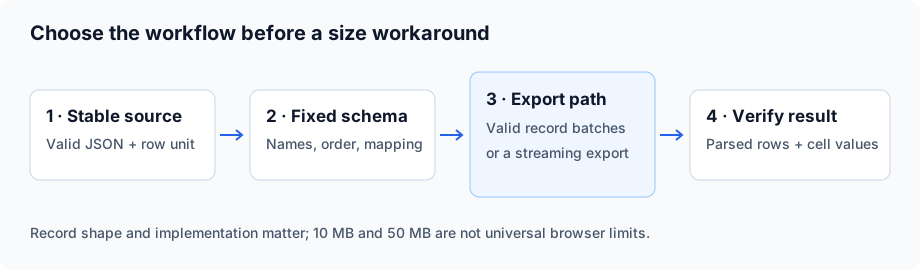
Short answer: If a JSON to CSV converter refuses your file or freezes, check its stated limit and validate the input first. Then choose smaller record batches, a local streaming exporter with a fixed column schema, or a cloud service that accepts your data. There is no universal 10 MB or 50 MB browser boundary: record shape, output width, implementation and available memory matter. Splitting helps only when each batch remains valid and all exports use the same columns.
Why online converters have size limits
Some browser converters hold input text, parsed objects and CSV output at the same time; others use workers or streaming pipelines. A large export can exhaust memory or keep an interface busy. A server converter may impose separate upload, account or processing limits. A desktop label does not prove that a tool streams its input.
Do not assume a fixed RAM multiplier or conversion time without measuring that implementation and input. The in-browser size test on this site documents its own fixtures and environment; its results are not a capacity guarantee for another file or device.
| Your situation | Next move | Check before continuing |
|---|---|---|
| A 10 MB file is refused | Read the provider's current limit; validate and inspect a small representative sample | The error actually says size, not syntax or encoding |
| A 10–50 MB file makes the tab unresponsive | Try valid record batches or a local export | Same column order and meanings across every batch |
| A file above 50 MB will not finish | Prefer a documented streaming workflow or evaluate a cloud service | Largest individual record, output width, disk space and privacy requirements |
These sizes are decision examples, not measured performance thresholds.
What large-file conversion used to cost: a 2021 case study
The May 16, 2021 snapshot of json-csv.com's large-file page listed the following options. These are that provider's historical offers, not browser performance thresholds or current quotes.
| File size | Option in the archived page | Price, May 2021 |
|---|---|---|
| Under 1 MB | Convert online | Free |
| Under 50 MB | Convert online, one-time payment | $10 |
| Over 50 MB | Desktop app, offline | $120/year |
| Over 50 MB | Cloud conversion | $30 per GB |
| Very large, one-off | Custom conversion returned by email within 24 hours | $30 per GB of unzipped data |
The custom-service entry charged for uncompressed data, an important distinction when a small archive expands into a much larger JSON document. For example, a hypothetical 0.4 GB upload containing 2 GB of uncompressed data would give an arithmetic estimate of 2 × $30 = $60 under that stated rate, before any undisclosed minimums, rounding or taxes. Both size inputs are illustrative; this is not a measured file or a present-day quote.
Its official successor's history says json-csv.com became Data.Page in June 2021. The current converter page, reviewed on October 6, 2026, lists subscription tiers instead of the one-time $10 and $30-per-GB offers above. Those specific historical rates are no longer listed there; the public 2021 archive still preserves them. The current page still offers custom conversion assistance, so this does not mean all custom services have disappeared.
Targeted searches on October 6, 2026 did not reveal a guide documenting both this old tariff and the GNIP template comparison below. This is a limited search observation, not proof that no page covers them. The two dated snapshots come from one business and count as one historical source.
Historical rates are not a current quote; confirm present limits, currency, billing unit and terms before paying.
The 2015 lesson: templates vs. direct upload
The September 2015 page reports that GNIP's JSON-to-CSV service required a conversion template to be prepared and submitted at the time the page was written. Treat this as the archived converter author's account of a particular workflow, not a current GNIP requirement or an independent benchmark.
The practical distinction still matters: direct upload with auto-detected columns offers quick setup, while explicit field mapping defines which paths become columns. Neither approach guarantees an appropriate output for deeply nested data. Decide the row unit and the array policy first; for parent/child records, use related CSV tables.
A practical workflow for oversized JSON today
Choose one row unit and freeze the source. Pick a fixed column list before splitting or exporting. Keep identifiers as strings when their exact digits matter.
For a top-level array that fits in your local jq process, this produces one compact JSON value per line:
jq -c '.[]' big.json > lines.jsonlThis command is not a streaming fix for an array that already exceeds memory. The jq manual describes its separate streaming mode. For a large top-level array or an object containing records, the site's two-pass streaming exporter discovers a consistent schema before writing rows.
On a system with the POSIX split utility, split an existing JSONL file at record boundaries:
split -l 50000 -d -a 6 lines.jsonl chunk_Here 50,000 is a chosen batch record count, not a promise of 10 MB. Average record length and the largest record determine the bytes. The command is a POSIX shell workflow; Windows users can use WSL or a local streaming exporter. Never byte-split an arbitrary JSON document.
Convert the batches with identical column selections and delimiter settings. Then merge parsed CSV records, not physical text lines. Quoted cells may contain line breaks.
import csv
from pathlib import Path

files = sorted(Path(".").glob("chunk_*.csv"))
if not files:
    raise ValueError("No chunk CSV files found")

output = Path("final.csv")
partial = Path("final.csv.partial")
if output.exists() or partial.exists():
    raise FileExistsError("Use a fresh output path")

header = None
count = 0
with partial.open("x", encoding="utf-8", newline="") as target:
    writer = csv.writer(target)
    for path in files:
        with path.open(encoding="utf-8-sig", newline="") as source:
            reader = csv.reader(source, strict=True)
            current = next(reader, None)
            if not current or len(set(current)) != len(current):
                raise ValueError(f"Missing or duplicate header: {path}")
            if header is None:
                header = current
                writer.writerow(header)
            elif current != header:
                raise ValueError(f"Column order or schema differs: {path}")
            for record in reader:
                if len(record) != len(header):
                    raise ValueError(f"Wrong field count: {path}")
                writer.writerow(record)
                count += 1
partial.rename(output)
print(f"Merged {count} data records")
This example assumes comma-delimited CSV with a header in every input file. It retains an unfinished partial file on errors; do not treat it as a completed export. Identical headers cannot prove identical field meaning or recover columns omitted earlier. Configure and audit each conversion first.
The Python CSV documentation supports parsing quoted records and using newline="" with CSV files. You can download this merge script.
Before publication, a local smoke run of this exact merge script preserved four data records and two columns across two chunks, including a comma, embedded newline, double quotes, Chinese text, an accented character and an input BOM. Seven additional cases confirmed rejection of a differing header order, a wrong field count, duplicate headers, an empty chunk, missing chunks, an unfinished quote and an existing output path. These small-fixture checks verify merge behavior, not large-file capacity or the POSIX commands above.
Checks that prevent silent data loss
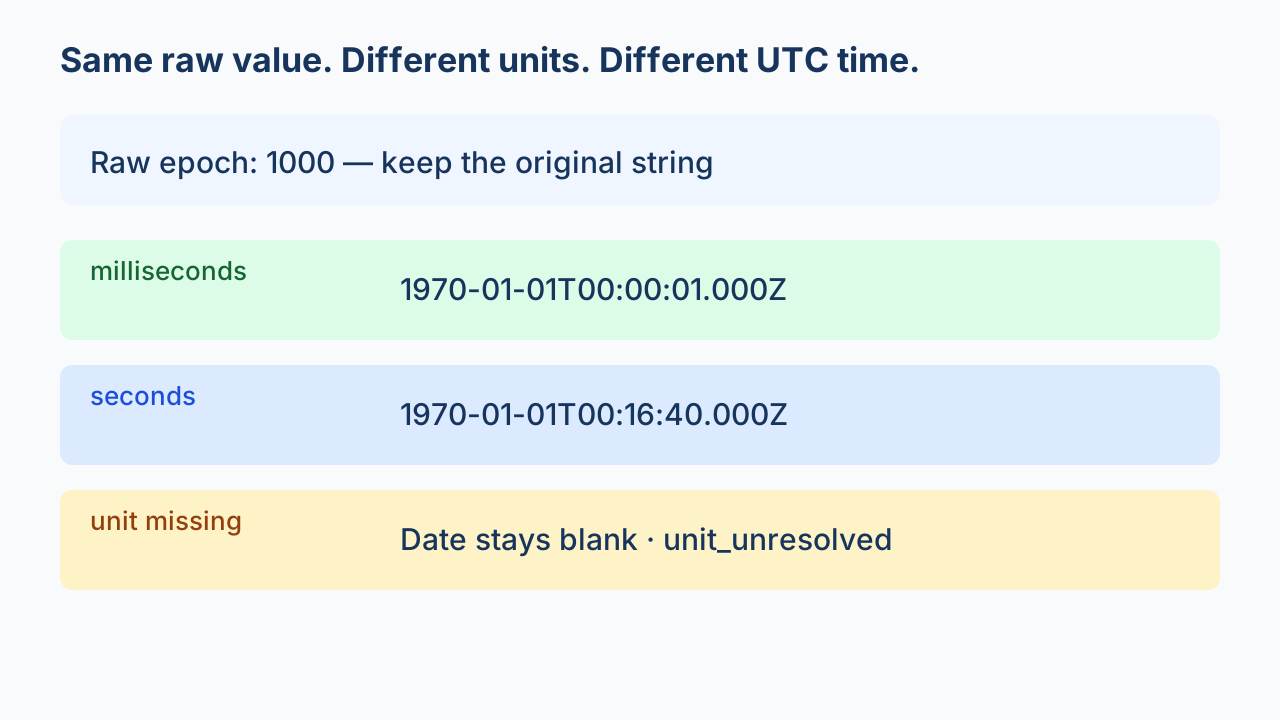
- Row counts must add up. The sum of successfully exported chunk data records must equal the final parsed CSV data-record count; compare both with the expected source record count. File count and text line count are not record counts.
- Same columns everywhere. Freeze column names, order and mapping; reject a differing header. A late field requires an agreed policy before conversion.
- Keep encoding explicit. Use UTF-8 inputs and output, and handle any BOM intentionally. Do not silently replace undecodable bytes.
- Check values and order. Preserve quoted commas, multiline strings and identifiers; retain chunk order if it matters. Count agreement alone cannot detect every duplicated or changed row.
For line-delimited JSON, pandas supports chunk iteration only with lines=True. A plain JSON array is not interchangeable with JSONL. Chunked processing also requires fixed columns and deliberate type handling; do not imply that a bare chunksize option streams every JSON shape.
What to check before you pay anyone
- Is it really size? Syntax and encoding failures need different fixes.
- What unit is billed? Ask whether a stated limit or charge uses compressed upload bytes, uncompressed bytes, rows or a subscription allowance.
- Do you need all fields and records? Filtering can reduce the export, but the filtering process must itself fit memory or stream the input.
- Can the tool complete and verify the export? Require expected records, agreed columns and an auditable final result.
- Can you upload this data? Check your data-sharing requirements and the provider's present terms.
Choose a workflow, not a universal cutoff
Start with the converter's actual limit and your file's structure. Use valid, schema-consistent batches when practical; use a documented local streaming workflow when memory or repeated conversion is the problem. Treat dated prices as historical evidence only after checking the archive, and select the columns before exporting nested records.